If Script Editor is already installed
These instructions apply if you already have Script Editor installed AND you have a published line item script. If you don't, please follow the instructions here.
- Navigate to the Script Editor in your Shopify Admin sidebar or find it in your Apps searchbar
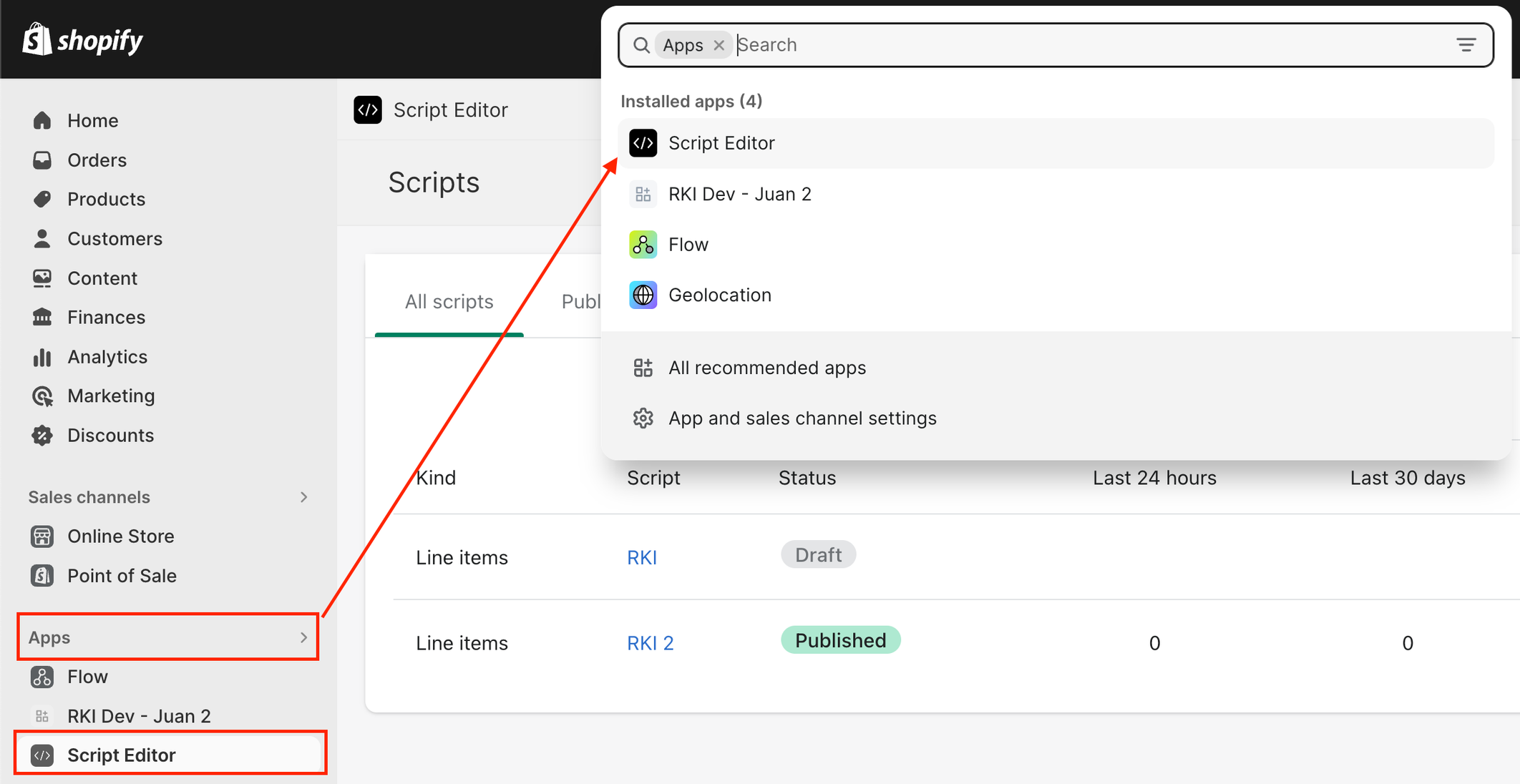
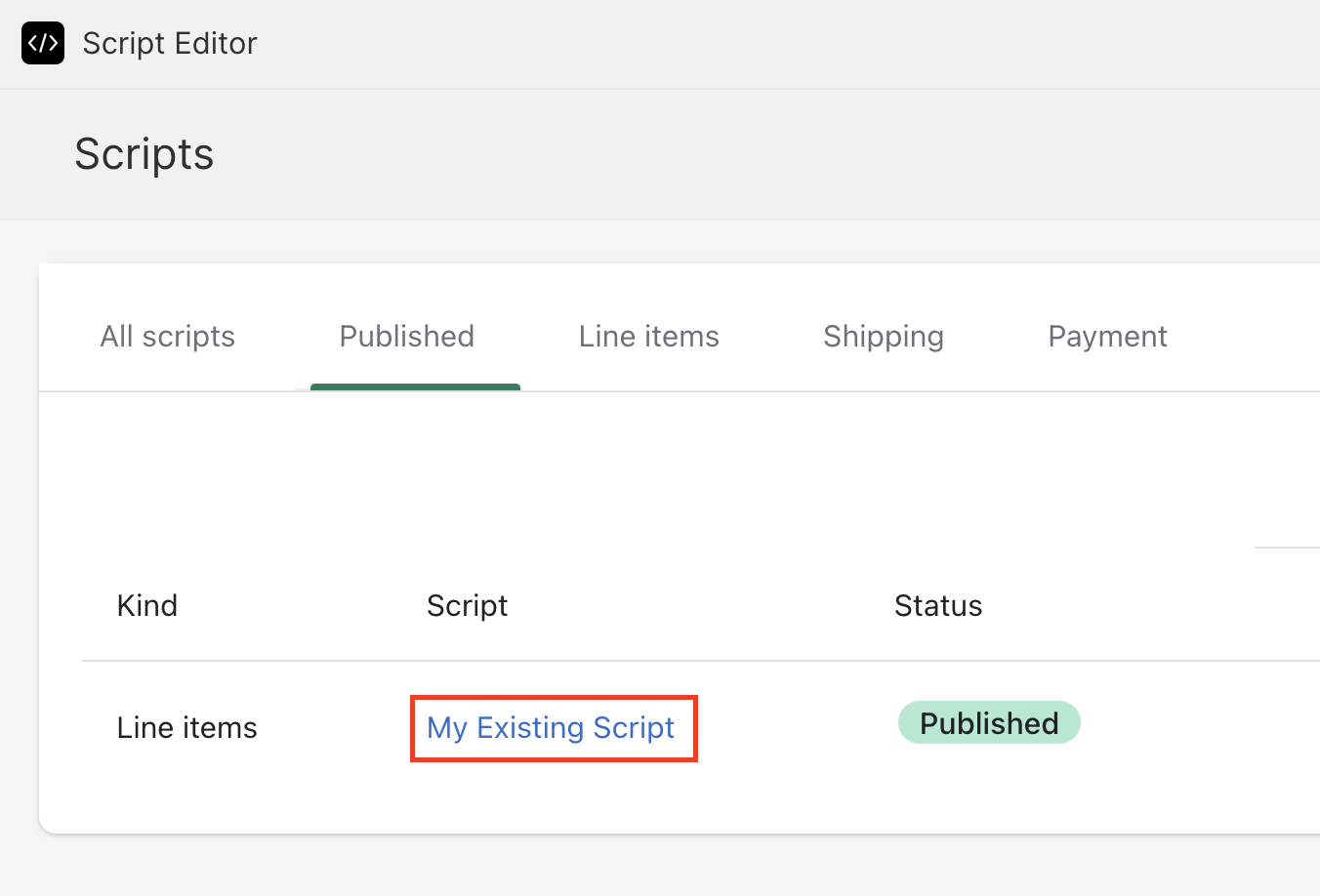
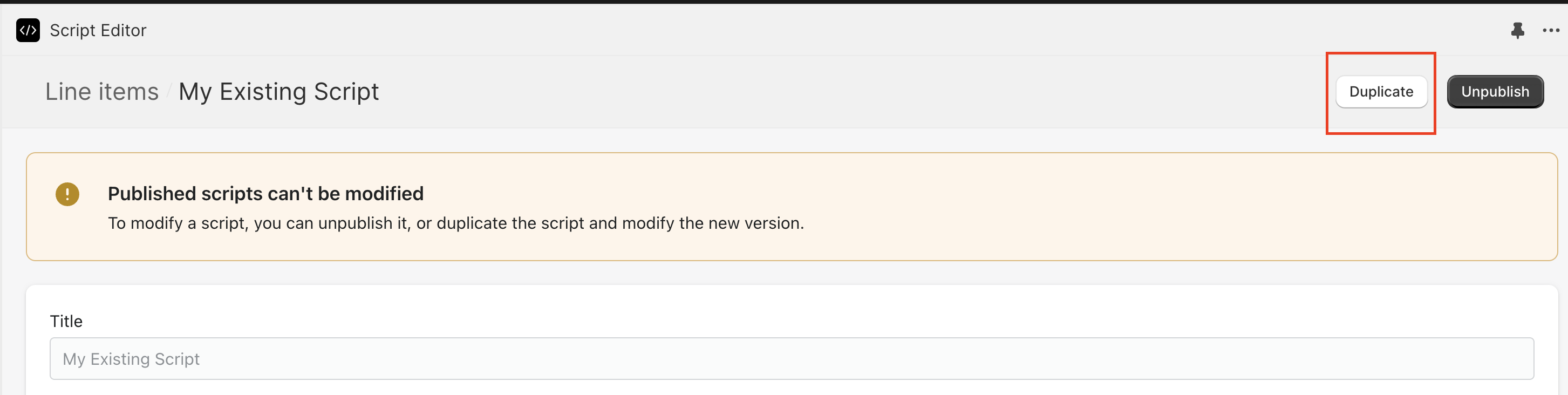
- Go to your currently published line item script and duplicate it
- This is necessary because Script Editor doesn't allow you to edit published scripts
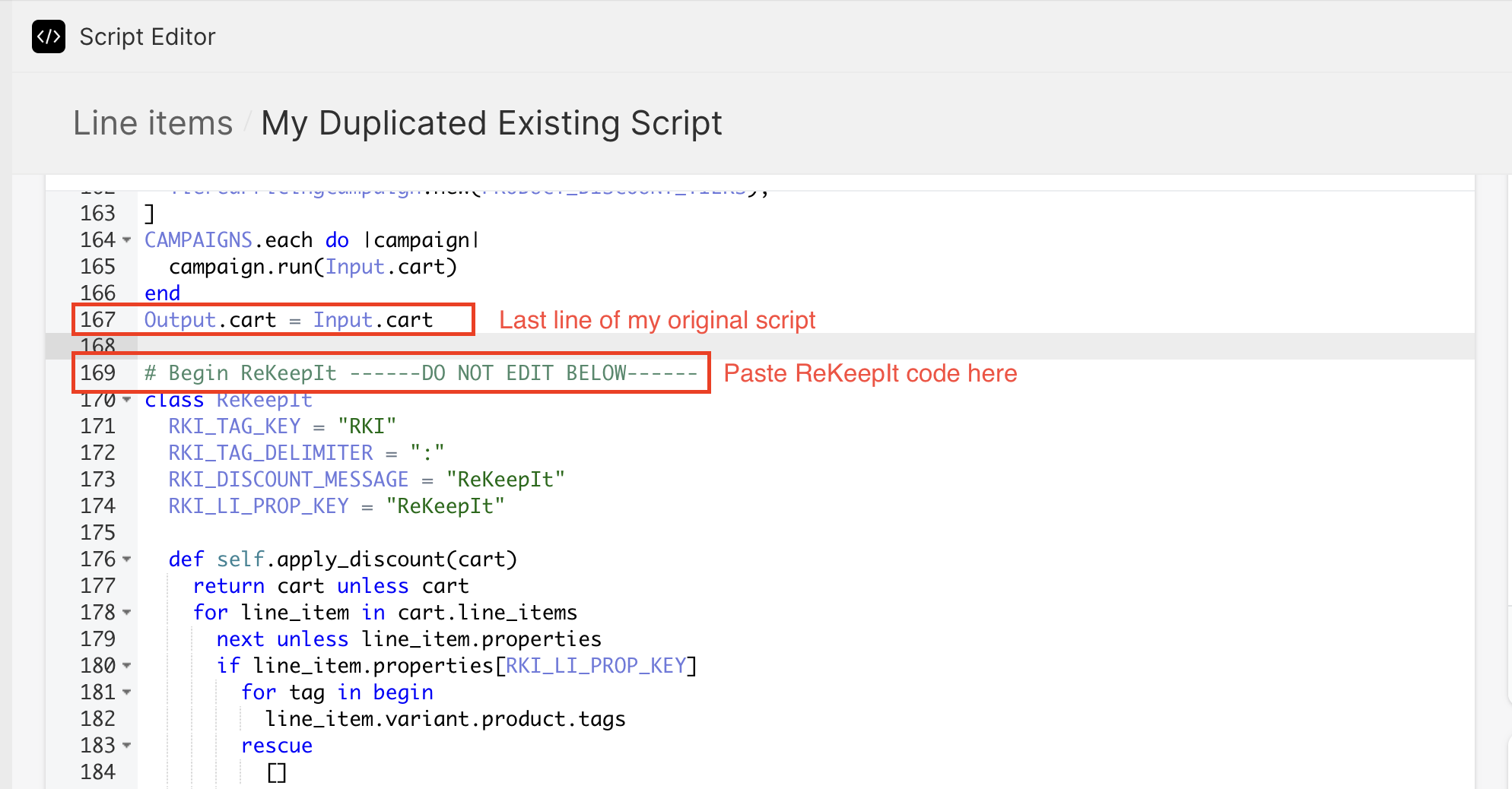
- You can title the duplicated script as you'd like. Click on the "Code" tab and scroll all the way to the end of the script. After the last line of your script, paste in the following code:
# Begin ReKeepIt ------DO NOT EDIT BELOW------
class ReKeepIt
  RKI_TAG_KEY = "RKI"
  RKI_TAG_DELIMITER = ":"
  RKI_DISCOUNT_MESSAGE = "ReKeepIt"
  RKI_LI_PROP_KEY = "ReKeepIt"

  def self.apply_discount(cart)
    return cart unless cart
    for line_item in cart.line_items
      next unless line_item.properties
      if line_item.properties[RKI_LI_PROP_KEY]
        for tag in begin
          line_item.variant.product.tags
        rescue
          []
        end
          if tag.is_a?(String) && tag.start_with?(RKI_TAG_KEY)
            rki_tag_value = tag.split(RKI_TAG_DELIMITER)[1]
            discount_percentage = rki_tag_value.to_f
            if discount_percentage > 0 && discount_percentage <= 100
              rki_discount = line_item.line_price * (discount_percentage / 100)
              message = "#{RKI_DISCOUNT_MESSAGE} -#{discount_percentage.to_i}%"
              line_item.change_line_price(line_item.line_price - rki_discount, {message: message})
              break
            end
          end
        end
      end
    end
    cart
  end
end

Output.cart = ReKeepIt.apply_discount(Input.cart)
# End ReKeepIt ------DO NOT EDIT ABOVE------
- Click on "Save and Publish" in the top right. Don’t worry, this script doesn’t actually do anything until the RKI widget is implemented. We will verify after implementing the widget.