Set up Script Editor
Shopify Scripts are code snippets that allow merchants to personalize experiences for their customers.
ReKeepIt uses Script Editor to apply the appropriate discounts to your customers' line items without interfering with other discounts. Currently, Script Editor is only available to Shopify Plus merchants.
Below are the instructions for installing and setting up Script Editor to work with ReKeepIt. If you already have Script Editor and have your own line item script set up, see this page. If you already heave Script Editor but don't yet have a line item script set up, you can proceed with the below instructions.
Instructions
-
Install Script Editor from here
-
Navigate to the Script Editor in your Shopify Admin sidebar or find it in your Apps searchbar
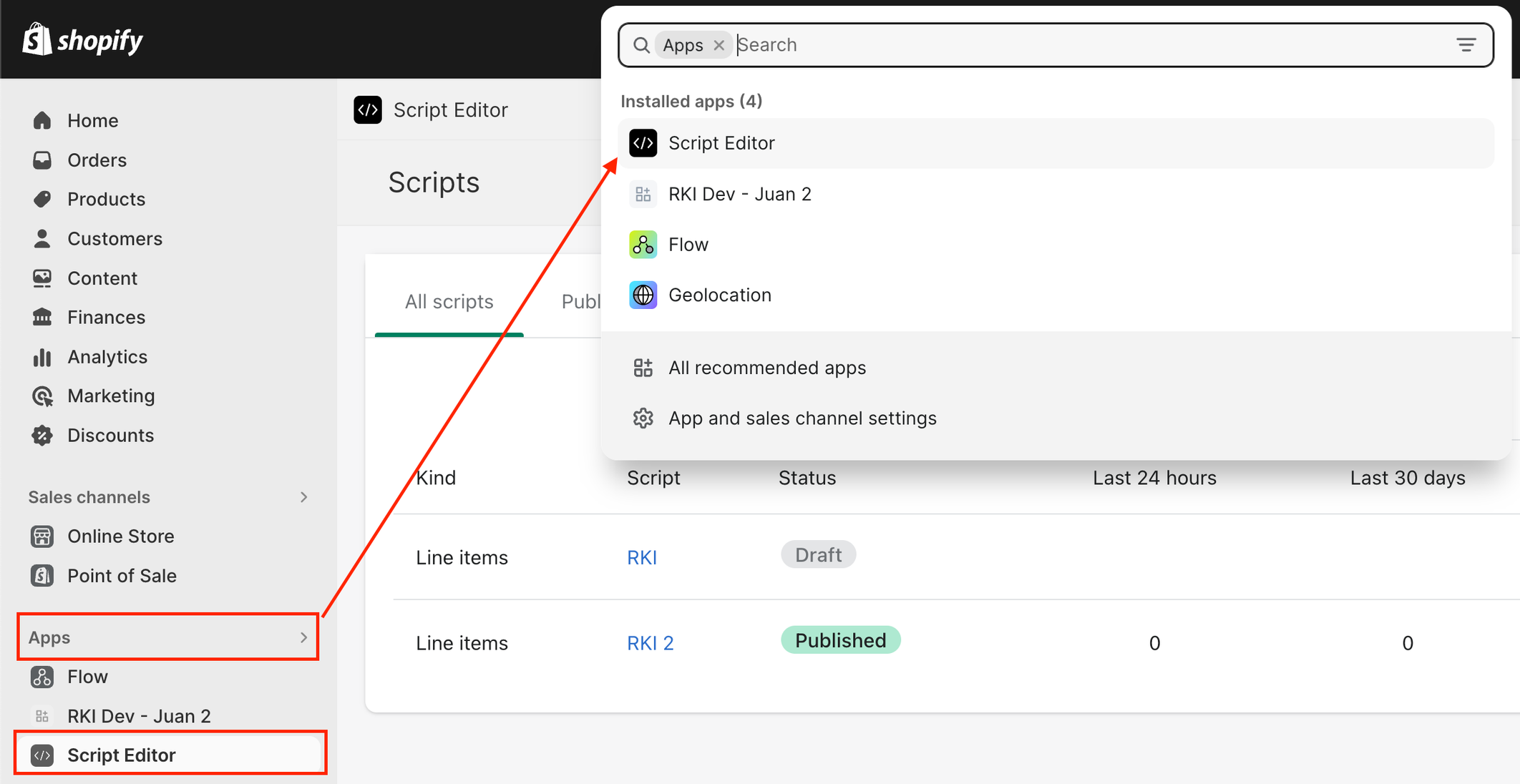
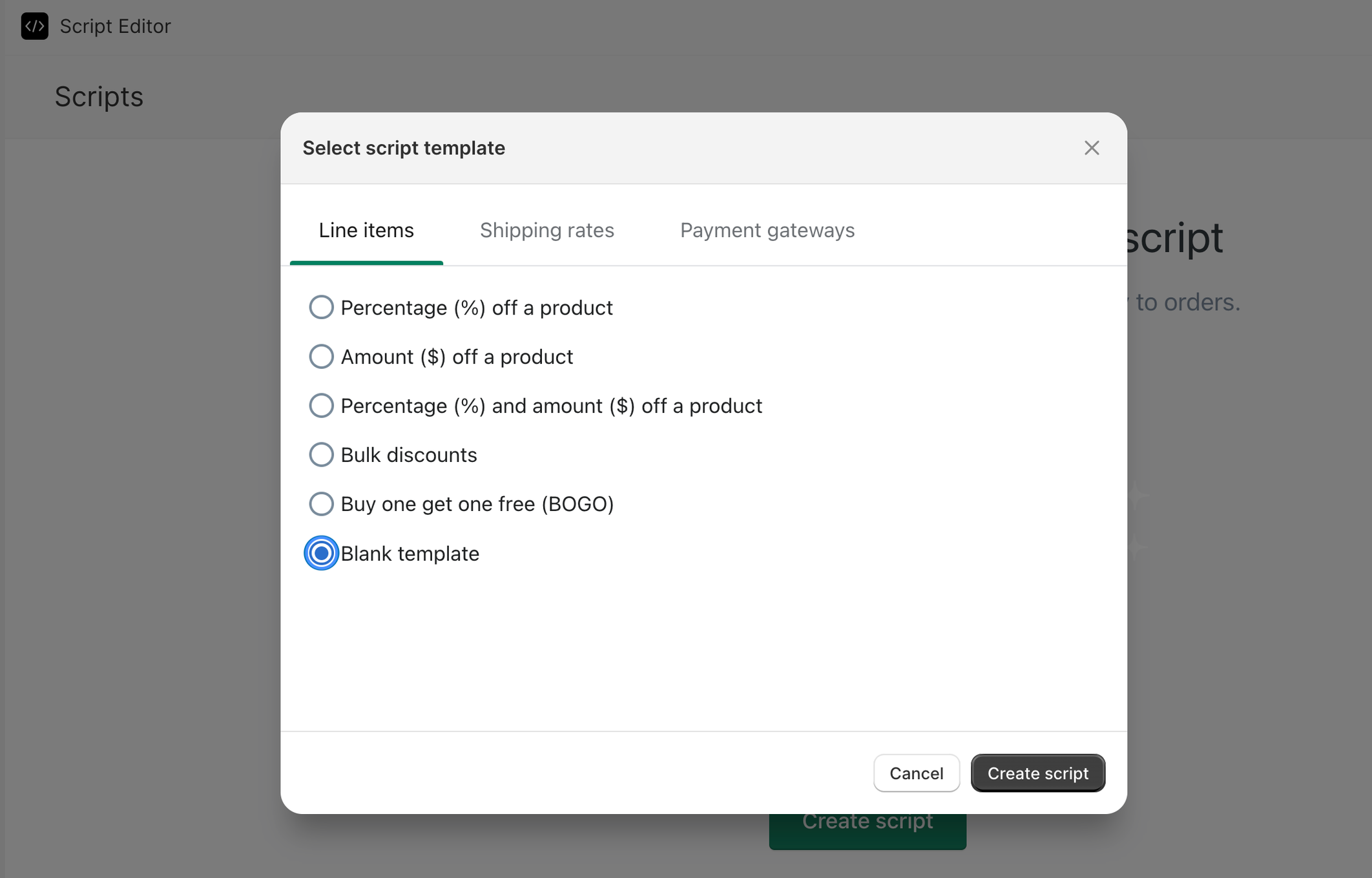
- Create a script - make sure that it is a Line Item script and Blank Template
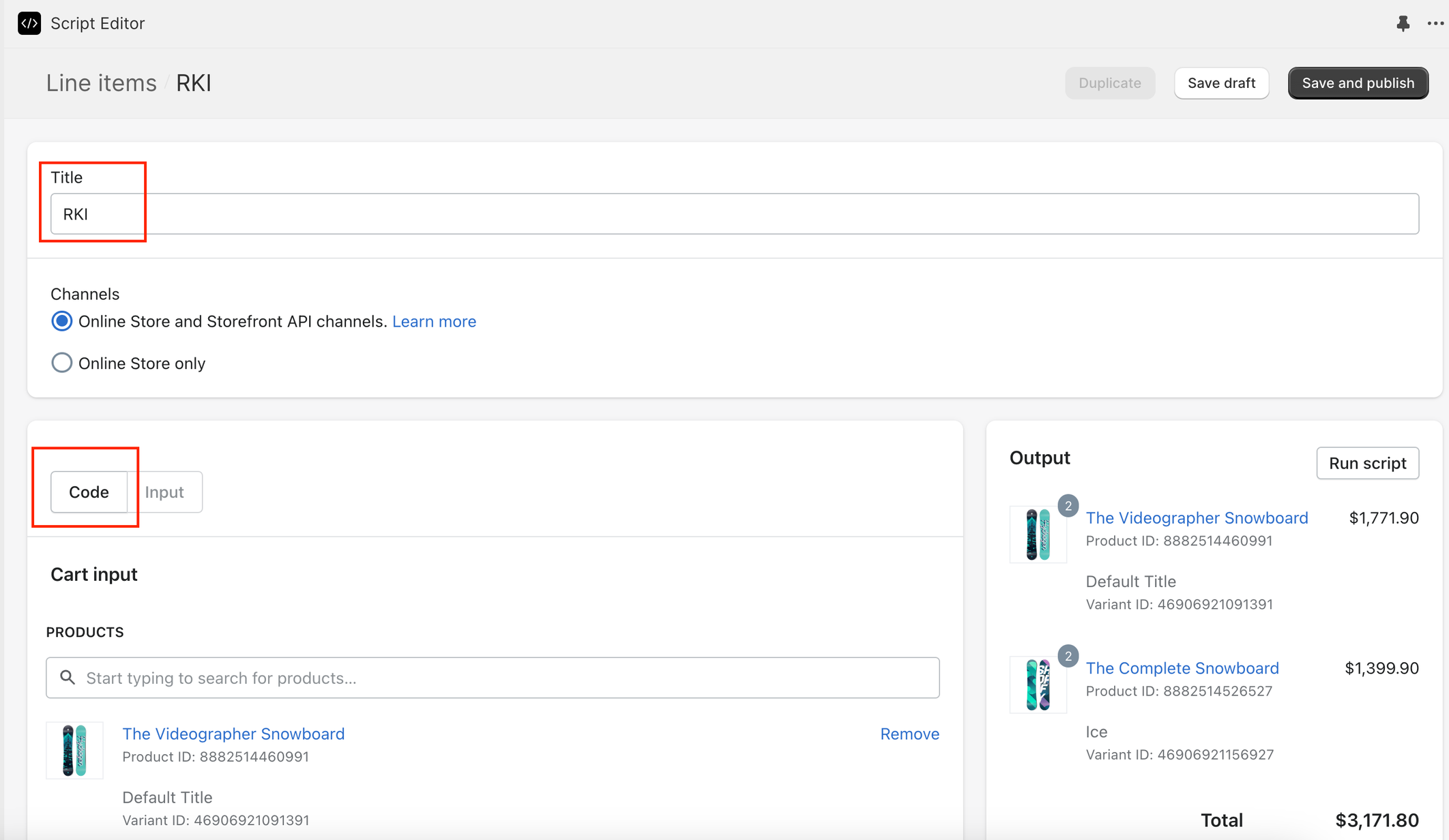
- Title it “RKI”, select your corresponding channels, and then click on “Code”
- Delete what’s currently in the Ruby source code textbox and paste in the following:
# Begin ReKeepIt ------DO NOT EDIT BELOW------
class ReKeepIt
  RKI_TAG_KEY = "RKI"
  RKI_TAG_DELIMITER = ":"
  RKI_DISCOUNT_MESSAGE = "ReKeepIt"
  RKI_LI_PROP_KEY = "ReKeepIt"

  def self.apply_discount(cart)
    return cart unless cart
    for line_item in cart.line_items
      next unless line_item.properties
      if line_item.properties[RKI_LI_PROP_KEY]
        for tag in begin
          line_item.variant.product.tags
        rescue
          []
        end
          if tag.is_a?(String) && tag.start_with?(RKI_TAG_KEY)
            rki_tag_value = tag.split(RKI_TAG_DELIMITER)[1]
            discount_percentage = rki_tag_value.to_f
            if discount_percentage > 0 && discount_percentage <= 100
              rki_discount = line_item.line_price * (discount_percentage / 100)
              message = "#{RKI_DISCOUNT_MESSAGE} -#{discount_percentage.to_i}%"
              line_item.change_line_price(line_item.line_price - rki_discount, {message: message})
              break
            end
          end
        end
      end
    end
    cart
  end
end

Output.cart = ReKeepIt.apply_discount(Input.cart)
# End ReKeepIt ------DO NOT EDIT ABOVE------
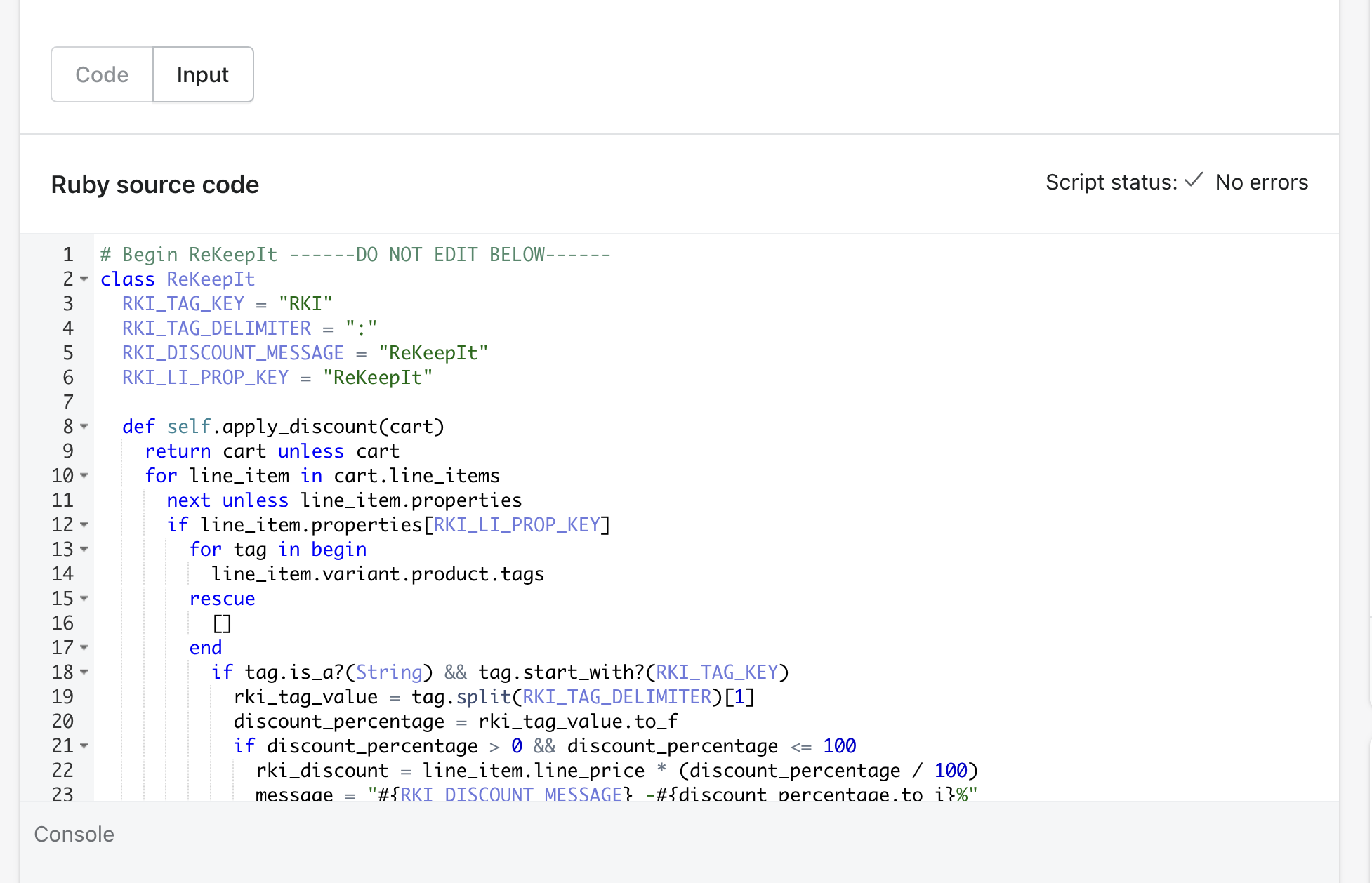
- Note that if you see any errors related to addresses, you can disregard those. They won't affect the functionality of the script. If you want to get rid of them regardless, you can go back to the Input tab and fill out the shipping information.
- Click on "Save and Publish" in the top right. Don’t worry, this edit doesn’t actually do anything until the RKI widget is implemented. We will verify after implementing the widget.